
01
Scan the school ID
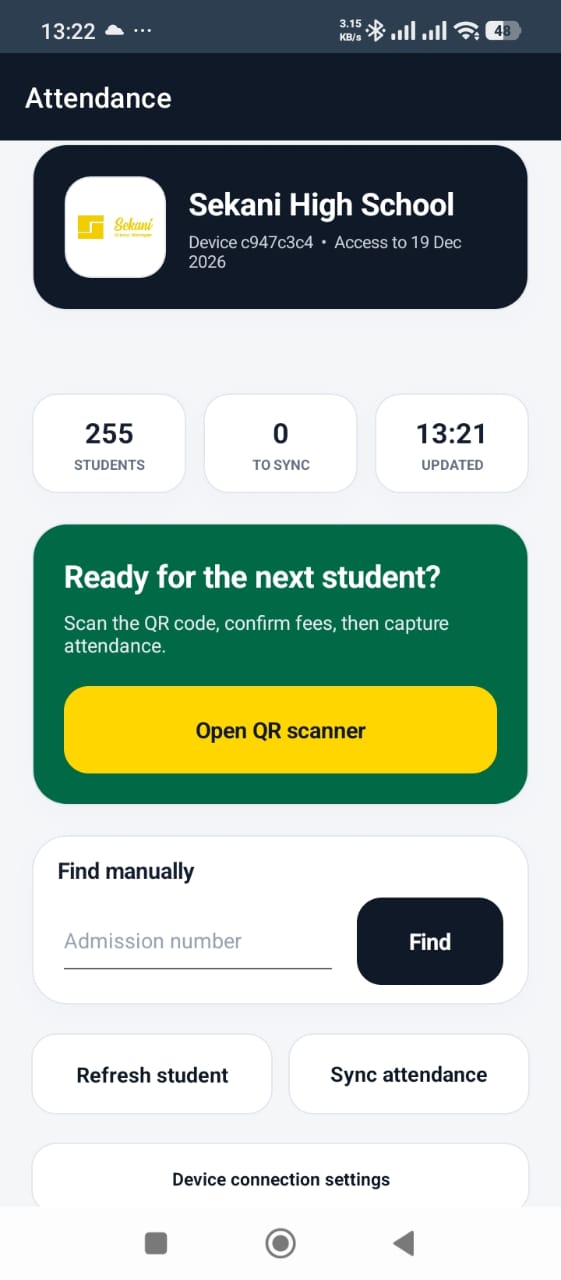
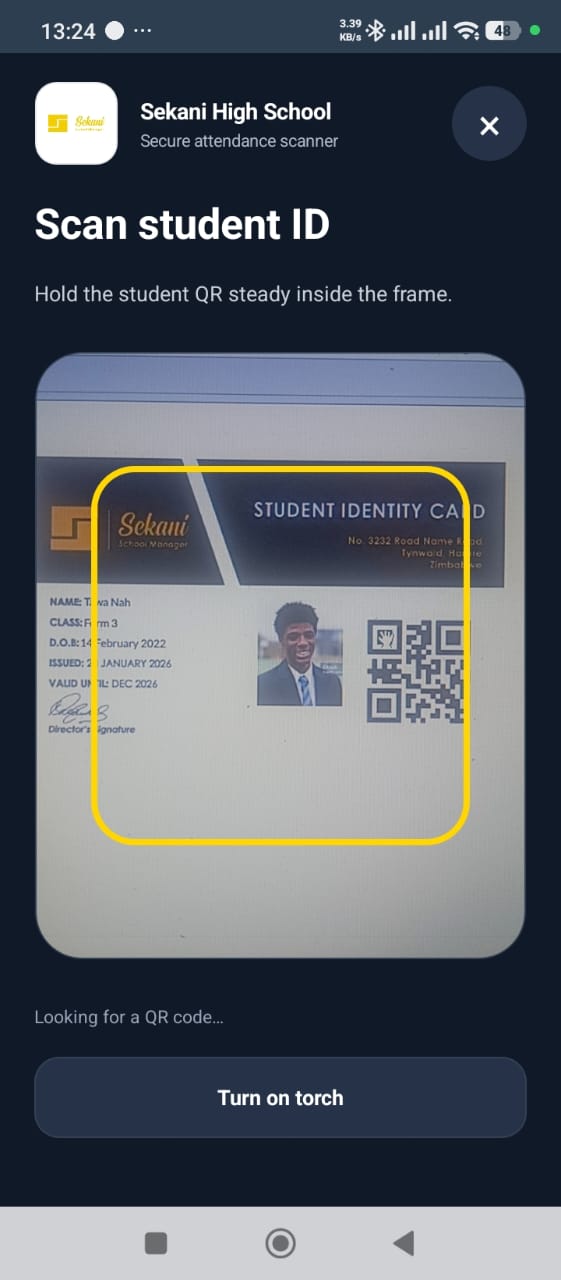
Use the phone camera to read the QR code on a student identity card, or find the learner manually by admission number.
Sekani gives authorised administrators, teachers and security staff a practical mobile workflow for student arrival: scan the school ID, review the learner and fee position, mark attendance, then notify the parent or guardian through WhatsApp.

The mobile app extends Sekani’s student record to the school entrance. It helps staff verify the learner before recording the day’s attendance, without relying on a paper register or continuous internet access.
Use the phone camera to read the QR code on a student identity card, or find the learner manually by admission number.
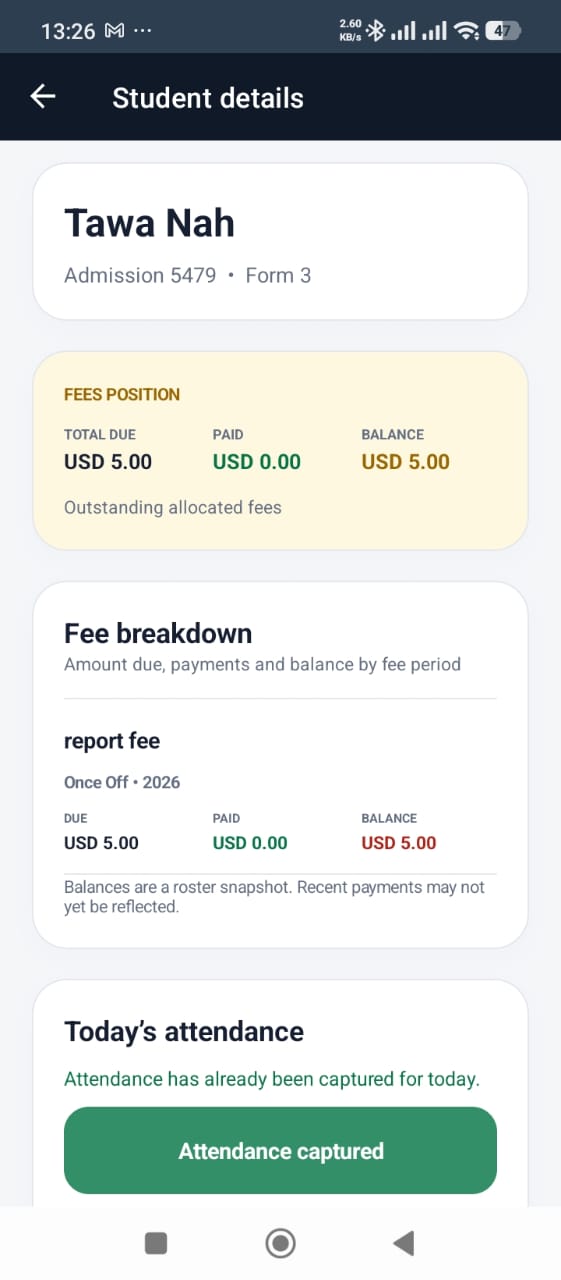
Review the student name, admission number and class before attendance is marked.
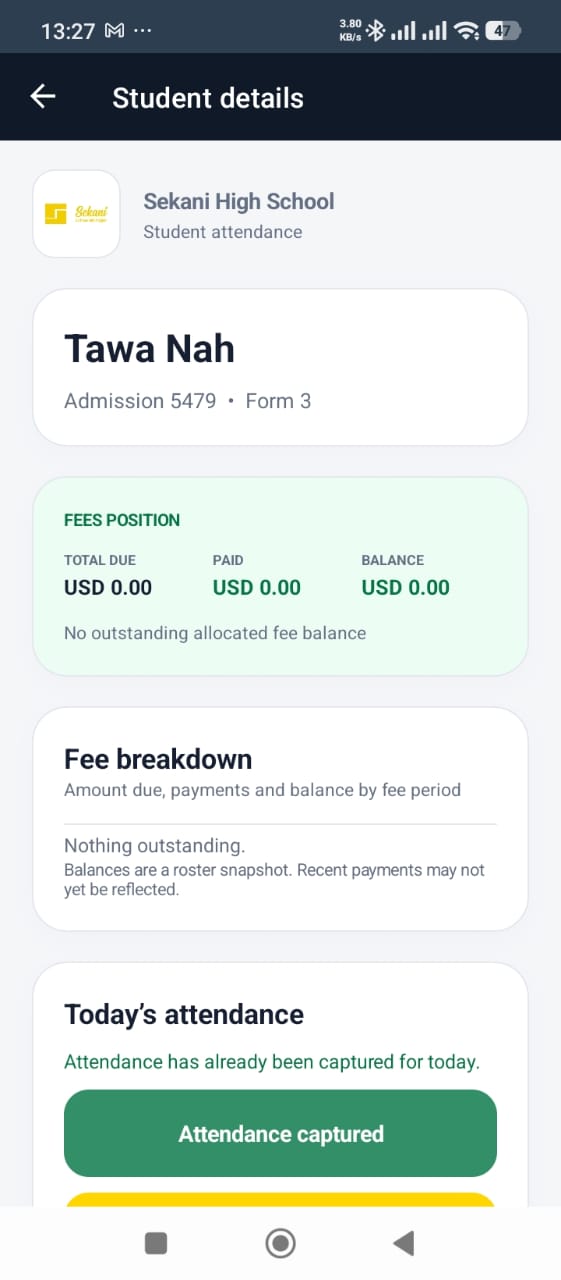
Authorised staff can see whether the student record shows an outstanding allocated fee balance and review the available breakdown.
Capture the learner’s attendance from the student details screen with a clear indication when the day’s attendance has already been recorded.
Store attendance on the authorised device when connectivity is unavailable, then synchronise pending records once internet access returns.
Send a WhatsApp attendance alert when the record is captured; offline records can trigger communication after synchronisation when connectivity is restored.
These are real screens from Sekani’s attendance application, showing the dashboard, QR scanner, fee context and completed attendance state.
Technology supports the gate process; the school still decides who is authorised, how exceptions are handled and how fee information is discussed privately.
Assign devices and access to named administrators, teachers or security personnel.
Use the balance as operational context without exposing a learner’s financial information publicly.
Check the app’s queue and synchronise once connectivity returns so central records and WhatsApp alerts can proceed.
Give gate staff a documented process for unreadable IDs, disputed balances and other exceptions.
Yes. The mobile attendance app can store attendance on the device while offline and synchronise the records when an internet connection becomes available.
The authorised user can confirm the learner and see the available fee position before marking attendance.
A school can assign the workflow to an authorised administrator, teacher or security staff member according to its own gate and attendance procedures.
Sekani can send a WhatsApp attendance alert to the parent or guardian when attendance is captured. If the device is offline, sending depends on the record synchronising once connectivity returns.
Yes. The supplied mobile workflow also includes manual lookup by admission number.
Walk through your enrolment, fee, academic and finance workflows with our team, or explore the live product demo in your own time.