
01 · Administration
Enrolment & students
New admissions, student records, class lists, class migration and school ID generation.
Explore student managementSekani connects enrolment, student records, fees, assessments, accounting, payroll, assets, communications and reporting—so your team works from the same information.

Designed around the realities of school administration, not generic business software.
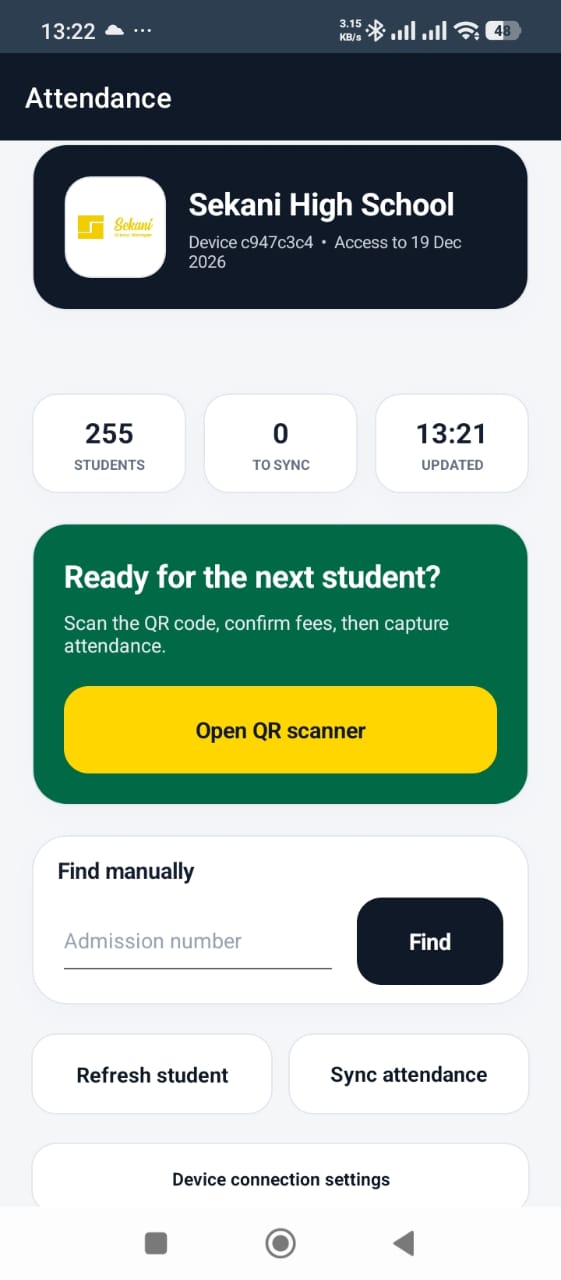
Authorised administrators, teachers or security staff can scan a learner’s ID, confirm the student and available fee position, capture attendance without internet and synchronise later. Parents or guardians can receive a WhatsApp attendance alert once the record is online.

Sekani has grown into a connected operational platform. Each module supports a real task, while shared records reduce duplication across departments.
New admissions, student records, class lists, class migration and school ID generation.
Explore student management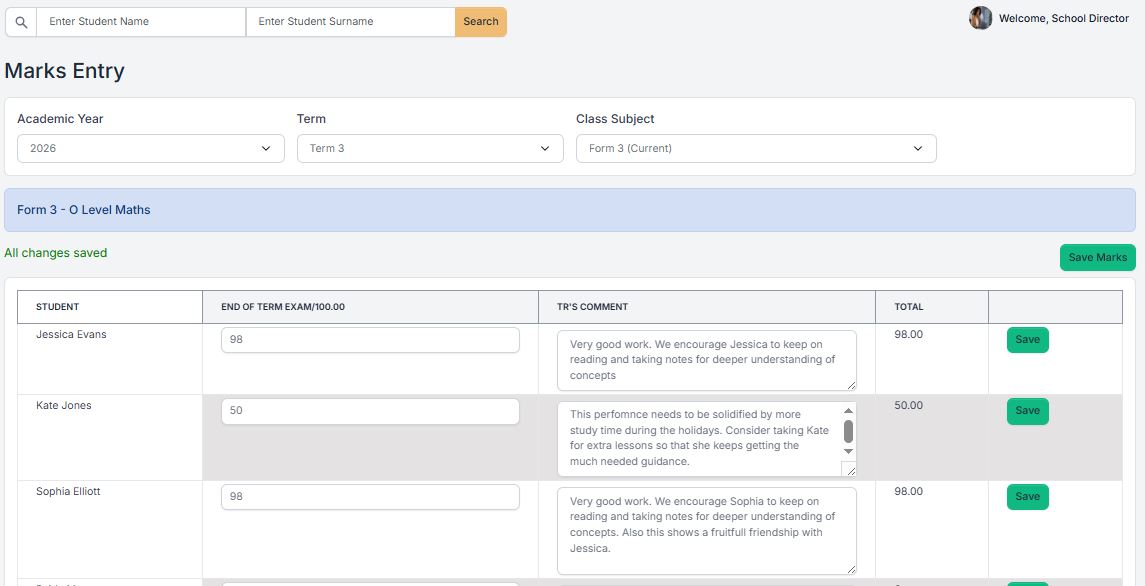
Lesson and exam timetables, marks, comments, academic setup and report cards.
Explore academics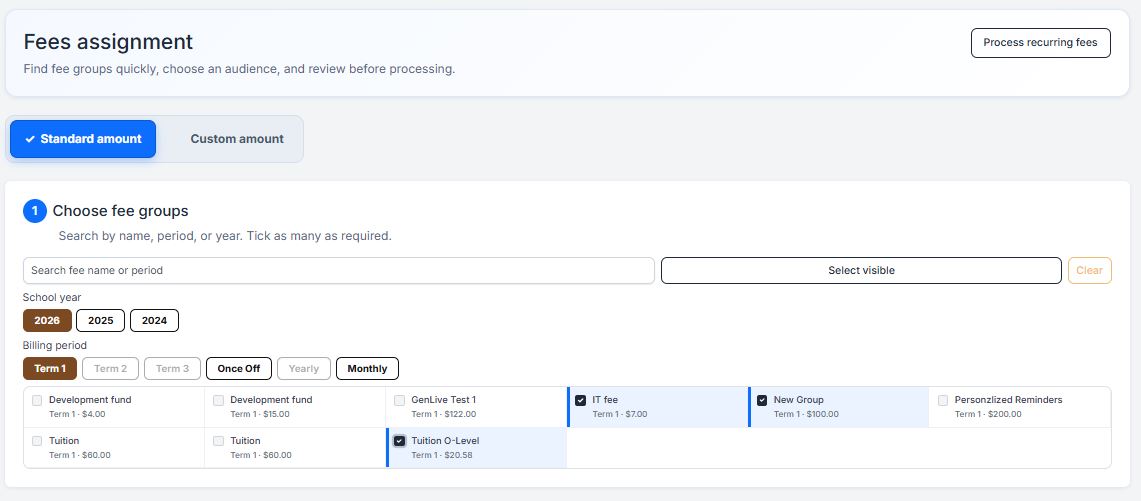
Fee groups, billing, grocery billing, invoices, reversals and reminder records.
Explore fees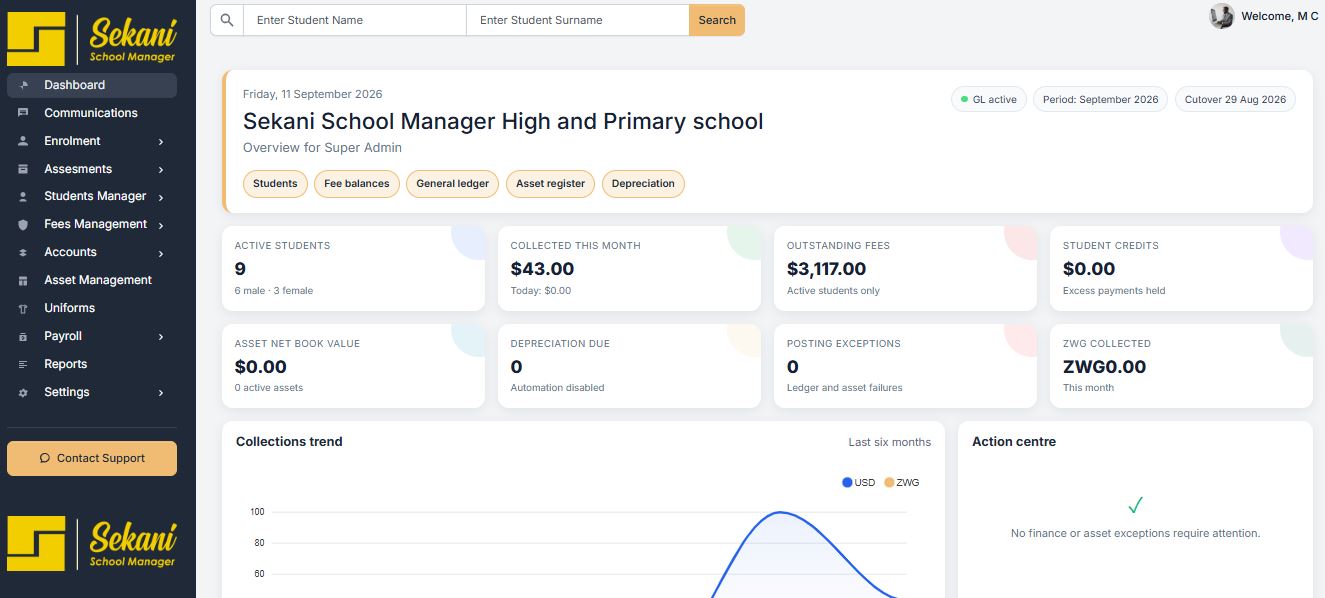
Income, expenses, liabilities, general ledger, bank reconciliation and opening balances.
Explore finance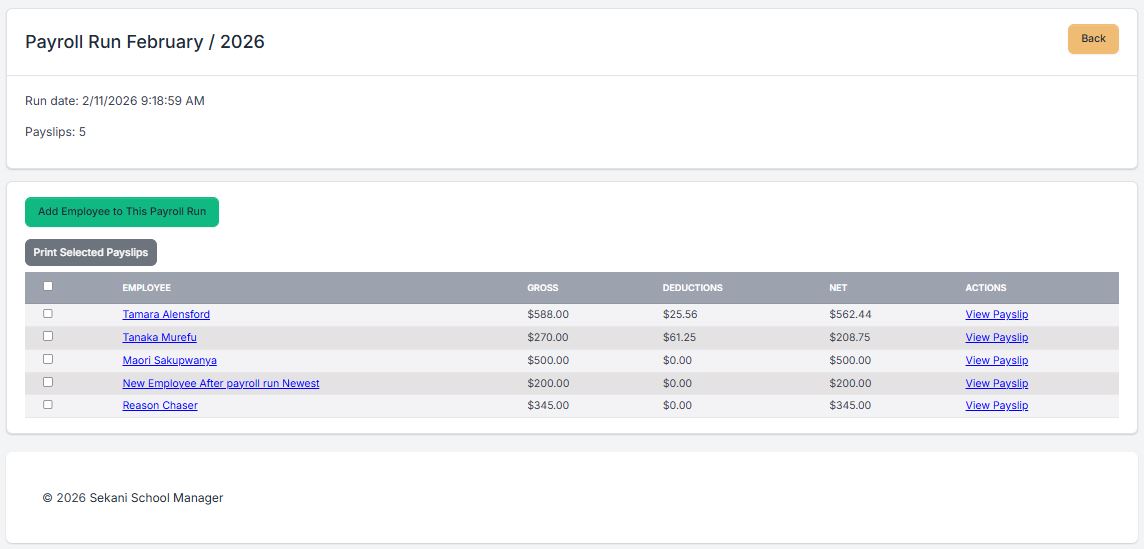
Employee records, payroll settings, payroll runs, salary payments and controlled processing.
Explore payroll
Communications, assets, uniforms and consolidated reports for school management.
See all capabilities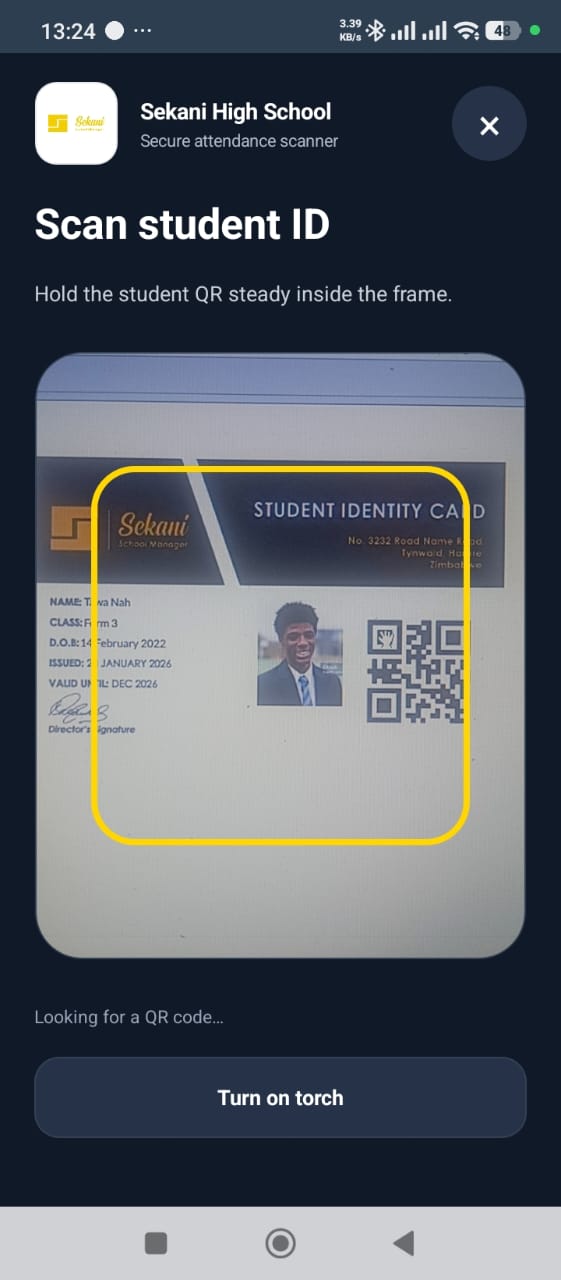
QR ID scanning, offline capture, fee visibility, later sync and WhatsApp alerts.
Explore attendanceA school system succeeds when administrators, finance teams, teachers and leadership can each complete their work without losing the shared picture.
Manage admissions, classes, migration and student lists from a consistent source.
Move from fragmented spreadsheets to connected fee and accounting workflows.
Capture marks, configure assessments and contribute comments within the academic workflow.
Use reports and connected records to review the academic and financial position of the school.
Sekani connects day-to-day administration with the records management needs later relies on.
Admissions feed the student management workflow, making class lists, IDs and later administration easier to manage from a single record.
Fee groups, billing, invoices, payments and finance reporting sit in the same operational environment as school accounting.
Academic configuration, subject assignments, assessment setup, marks and comments work toward a complete reporting workflow.
Maintain employee records, configure payroll and process salary payments without separating the function from the rest of administration.
Explore real Sekani School Manager screens for student administration, fees, assessments, marks entry, school finance and payroll.
The Sekani dashboard brings active student counts, fee balances, collections, general ledger information, assets and finance exceptions into one management view.
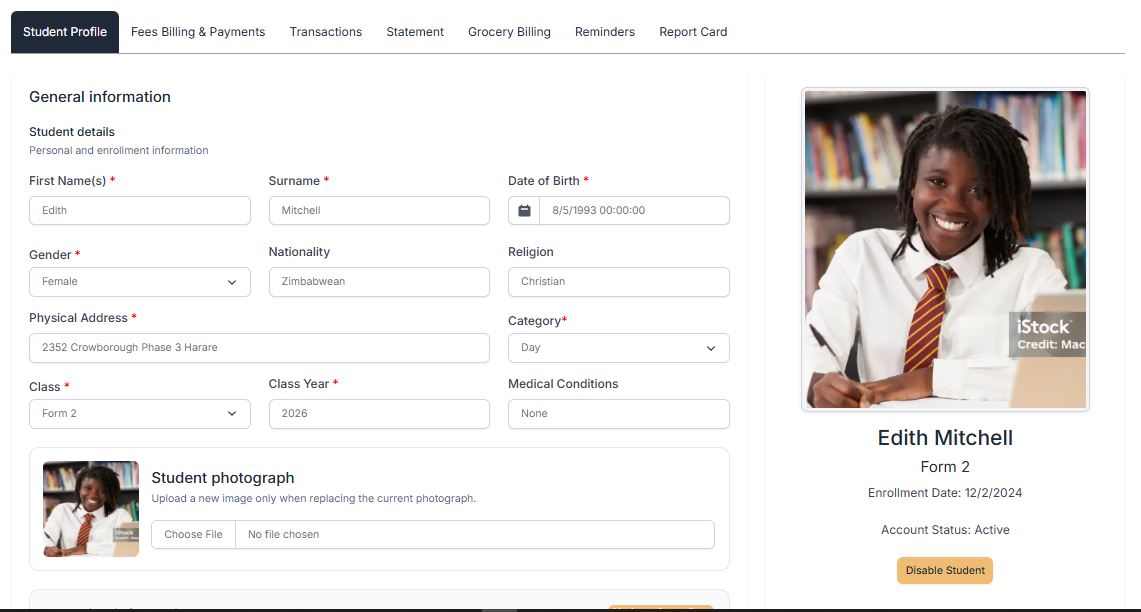
Keep enrolment details, class placement, fee activity, statements, reminders and report cards connected to the learner’s profile.
Select fee groups, school years, billing periods and the intended learners before processing recurring or once-off school fees.
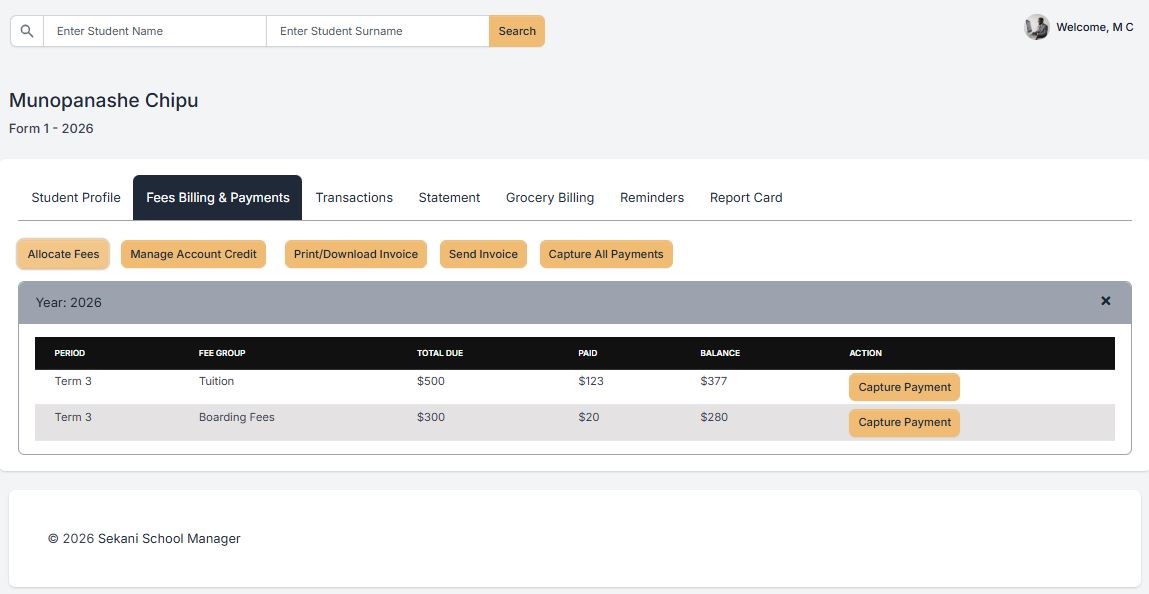
Review fee groups, totals due, payments and outstanding balances from the same student account used for invoices, statements and reminders.
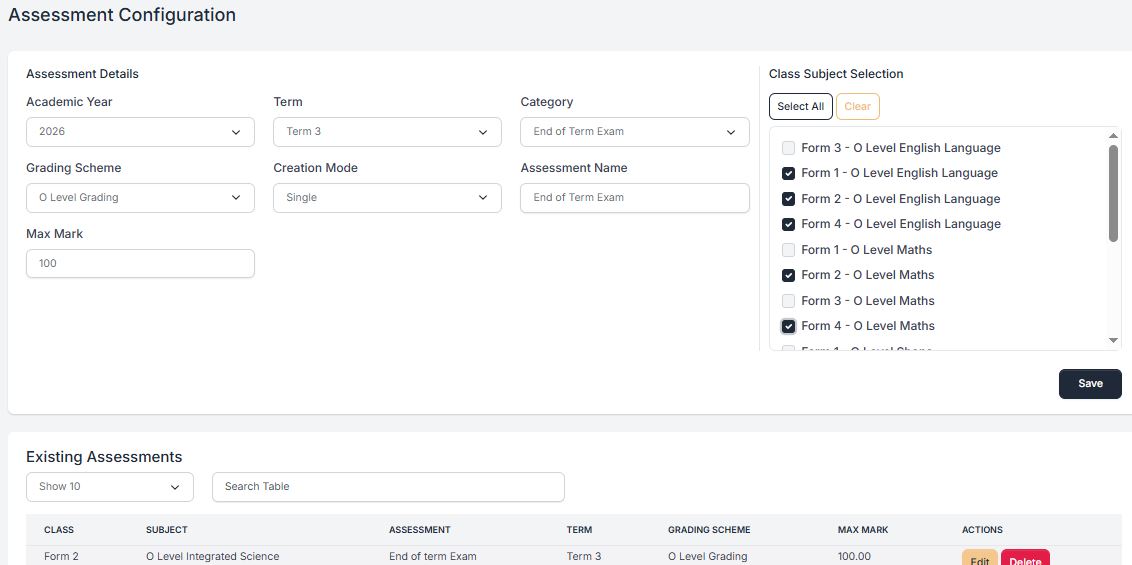
Configure the year, term, assessment category, grading scheme, maximum mark and applicable class subjects before marks entry begins.
Teachers can work with the correct academic year, term and class subject while capturing results and comments in a structured process.
Review employees, gross amounts, deductions, net pay and payslip actions within a controlled payroll run.
One record supports enrolment, class management, migration and student identification.
Fee groups, invoices, payments, reversals and reminder activity stay connected.
Assessment setup flows through marks entry, comments and student report cards.
School finance, general ledger and salary processing sit inside the same platform.
The live demo remains available for self-guided exploration, while a booked demonstration lets us map Sekani to your school’s actual workflow.
See the product experience directly in your browser. No decorative mock-up can replace seeing the working system.
Book a session through the existing Sekani Calendly schedule and focus the conversation on your school’s priorities.
Walk through your enrolment, fee, academic and finance workflows with our team, or explore the live product demo in your own time.