
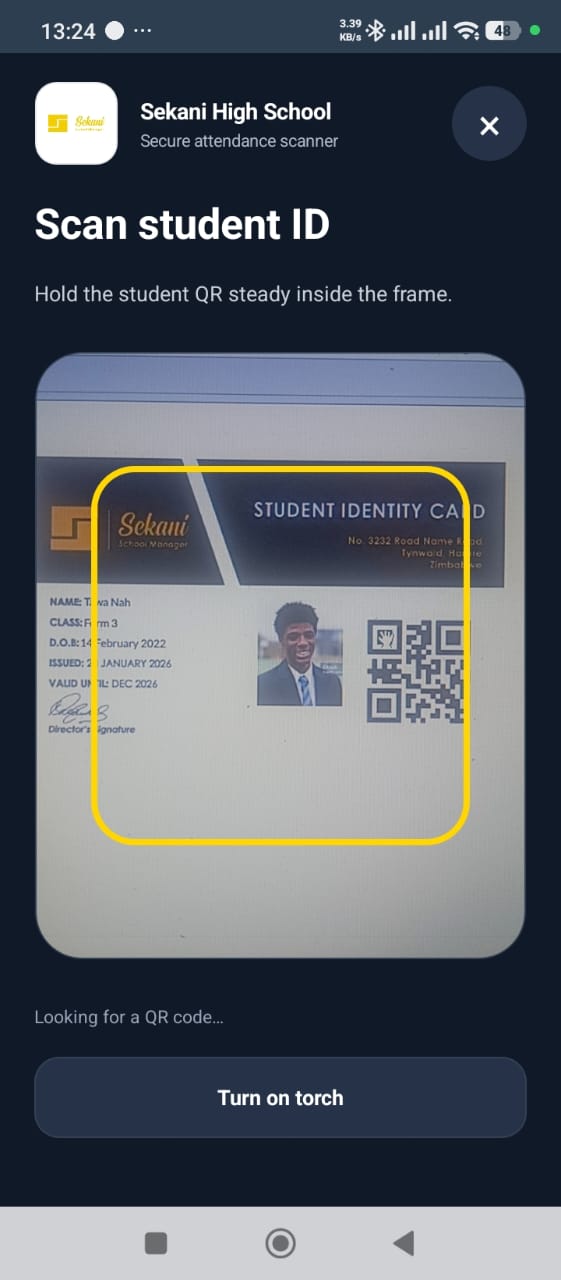
1. Open the secure scanner
The authorised user opens the QR scanner from the mobile attendance dashboard. The dashboard also shows the number of students on the device, records waiting to sync and the last update time.
2. Hold the student card in the frame
The phone camera reads the QR code printed on the student identity card. The card links the check to the learner record; staff do not need to type a name for every arrival.
3. Confirm the student
The student details screen displays the learner’s name, admission number and class. This confirmation step helps staff avoid marking the wrong learner.
4. Review the available fee position
Authorised staff can see totals due, paid and outstanding, together with the available fee breakdown. Schools should control who may see this information and how it is used.
5. Capture attendance and communicate
The user marks the day’s attendance. Sekani identifies a record already captured for that day, stores records offline when necessary, synchronises later and can send the parent or guardian a WhatsApp attendance alert.
See the workflow in Sekani
Sekani connects mobile attendance with the student record, school ID, fee context, offline synchronisation and parent or guardian communication. The most useful evaluation is a guided demonstration using your school’s own gate and attendance scenarios.